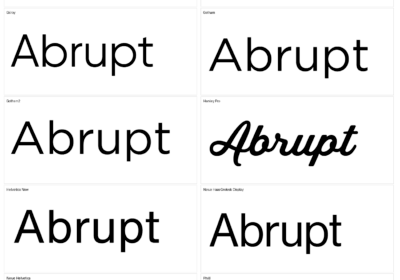

Today I will help you with complete information on how to choose the right font for your PowerPoint presentation.

I created this guide to be as simple as possible, so you won’t be overwhelmed when you have to choose fonts for your PowerPoint presentations or other projects you might have.
Before going deep in the subject, we should discuss about PowerPoint presentations and how to properly make them to be successful.
Content is important but the design is the king hereMake an imaginary exercise in which the content of your PowerPoint presentation is the best in your industry, or even in the whole world, but your presentation uses a “bad” font or a collection of “bad” fonts.
How would people read and understand your presentation if the font is hard to read, or too small?
Your font might even be considered a “racist font“.
And yes, you read it well, there are fonts that are considered racist.
So even as your content is super important, your PowerPoint presentation design is the king here.
Go wrong with the design, and you will have a bad presentation.
Part of the design, the biggest and most important part of your PowerPoint presentation is the font or the fonts you use.
This applies to presentations especially with high loads of texts, but also to presentations that use text just here and there.
How to choose the right font for your PowerPoint presentationThe easiest way to choose the right font for your presentation is to use the default font.
That is true but this method has a huge minus – your presentation will look and feel exactly as all the other presentations in the world.
If you are ok with that, then you should go on this route.
Maybe you have to make a presentation for school and there it is not important what font you choose as long as it is readable.
But what if you want your presentation to look and feel different?
What fonts should you choose?
There are millions of free and paid fonts out there, which ones will work on your presentation?
Pay attention to these basic rules.
You will know how to choose fonts not just for your PowerPoint presentation, but for all your projects.
The rulesThese rules are simple to follow, and all come from my own experience.
This is how I also choose fonts for my projects.
So here they are (don’t pay attention to the order):
– Free or paid, doesn’t matter, as long as you check the license.
– Paid fonts are not necessarily better than free fonts.
– Sans-serifs are for the web and serifs for printed projects, but there also combinations of sans-serif and serif that can work fantastic.
– A font should make your text readable, if not don’t use it.
– Pick a font that looks great in the sizes and weights you are planning to use.
– Always try as many fonts as possible, and ask for feedback from your friends, colleagues, partners, family, etc.
– Simpler fonts are better than fonts that look complicated.
– Fonts say a lot about you and your presentation – there are fonts that look and feel luxury (Coldiac is an example of such font), fonts that are great for kids projects (agrafie is a good example to check), and many other types of fonts. Pay attention to the font you pick, it has to be in line with your content.
– Never spend a fortune on a premium font if you are not sure that it will greatly help you.
– Before using a font, check it on the web and make sure that it is not one of the fonts that is considered racist, ugly, bad, or it is just hated by the whole world (Comic Sans is one example)
ConclusionsChoosing the right font for your PowerPoint presentation is simple as long as you follow all of the above rules, or better said ideas.

I'm a programmer at heart. But in my 20s, I realized there was more to the world of fonts than just Courier.
Driven by endless curiosity, I built a system to explore them.
That project grew into one of the world’s leading font identifier platforms: www.WhatFontIs.com.
By 2024, WhatFontIs is helping nearly one million designers—famous or not—discover the names of the fonts they need.