

In this article, I will show you how to build your first online photography portfolio.

The guide will be quick but comprehensive, and you will find included everything you need to get the job done.
So lets start.
The first things you need to do when building your first online photography portfolioEven if you can publish your work on different websites and use them as your portfolio, the very best is to have your very own website.
And this is very simple, so don’t worry if you don’t have any experience building websites.
Now lets go back to the first step you need to do.
First, you need to get a domain for your website (your website name).
You can use Namecheap.com for that.
Your website name can be your very own name.
This is what professional photographers do when picking a website name.
Now that you have a domain, you need to pay for hosting (get it only if you will build your website in WordPress or other CMS software).
The cheapest option is more than enough for your website.
Here are the prices on Namecheap (you can use any other platform; I told you about Namecheap because this is the website I need for all my needs):
– .com domain – around $8 per year
– hosting – around $1.6 per month
The next step is the logo design
For your logo, I highly suggest you to use your name written in a nice way.
So don’t use a logo builder and don’t pay a graphic designer or logo designer.
You can do it all by yourself.
All you need is a font like any of these:
Abigral – $16
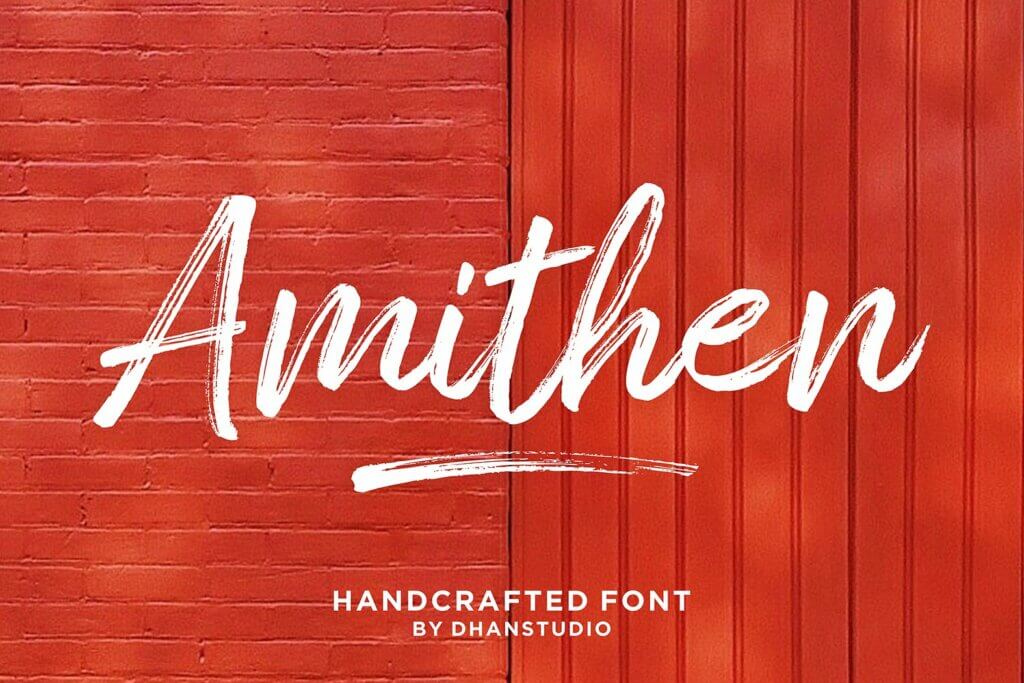
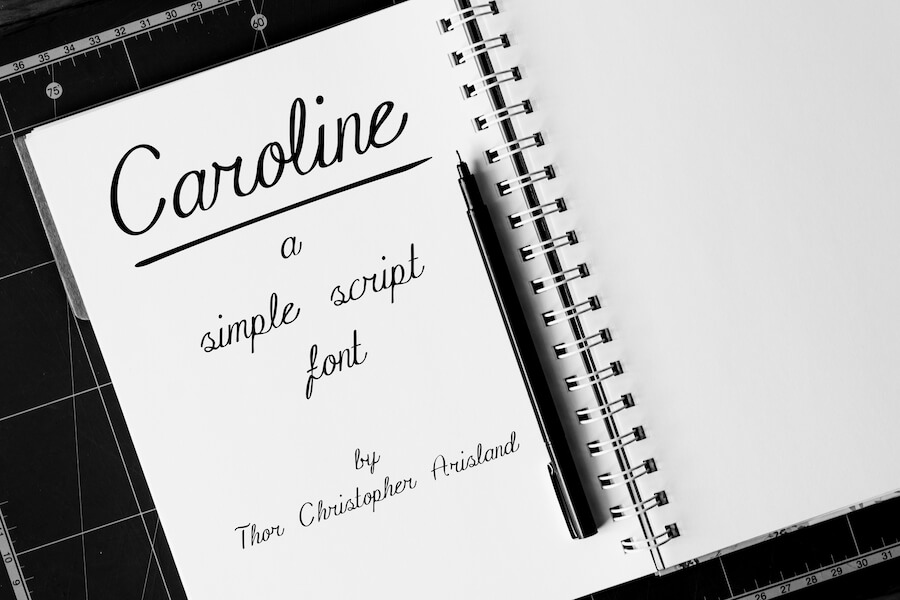

So with under $30, you will get a very nice logo for your online photography portfolio website.
And as you see, you don’t need any graphic design skills.
Get the font, write your name, and save the file as a jpg file.
Building your online photography portfolio websiteNow you have to decide if you will use a website builder, or a CMS like WordPress.
If you have absolutely 0 experience building websites and/or using WordPress, you will be much better if you choose website builder.
Pixpa.com is a highly popular online photography portfolio website builder that costs 5.76 euro/month and you will get all the features you need.
This plan is limited to 100 images in your gallery.
But 100 images is more than enough to showcase your work.
Your potential customers will not browse all these 100 images, and you should absolutely use best of your photos as the first 30 ones or so.
Now getting back to the website builder.
To start creating your website, browse the templates and pick the one you like.
This is where you should take your time and look with attention.
Don’t rush the process.
After you select the template you like, just edit the content and add your logo and contact details.
Don’t forget to add the domain you have bought from Namecheap.
And of course, add your photos, this is why we started all this project, to showcase your work.
You should finalize your website in just a few hours, from start to finish.
Have in mind that Pixpa lets you add a blog on your website, sell your images online, and create a photo gallery app for your clients.
ConclusionsBefore reading the article, have you imagined that the portfolio website-building process is so simple?
And affordable?
Any photographer has around $40-$50 a few hours available to create a stunning website that is mobile friendly and user friendly, and which can bring him good money.
Start right now your own online photography portfolio website and showcase your beautiful work.

I'm a programmer at heart. But in my 20s, I realized there was more to the world of fonts than just Courier.
Driven by endless curiosity, I built a system to explore them.
That project grew into one of the world’s leading font identifier platforms: www.WhatFontIs.com.
By 2024, WhatFontIs is helping nearly one million designers—famous or not—discover the names of the fonts they need.