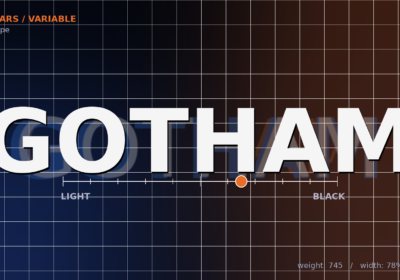
OpenType fonts have revolutionized digital typography, offering a wealth of features and cross-platform compatibility that older font formats simply couldn’t match. If you’re looking to elevate your design work, understanding OpenType is essential. Let’s dive into what makes OpenType fonts so special, exploring their history, capabilities, and how they can enhance your projects.
Table of ContentsOpenType fonts mark a significant leap in digital typography, changing how we handle text across various platforms. Born from a collaboration between Microsoft and Adobe, these fonts expand upon Apple’s TrueType format, introducing key improvements to overcome the limits of older font technologies.
Essentially, an OpenType font is a sophisticated digital format capable of holding up to 65,536 glyphs, far more than previous formats. This allows font designers to include extensive character sets, multiple alphabets, ligatures, stylistic alternates, and comprehensive accented character sets within a single file. The OpenType specification, which first appeared in 1997, has continually evolved with input from major tech companies like Apple and Monotype.
What distinguishes OpenType fonts is their cross-platform functionality. Unlike older formats that needed separate files for different operating systems, a single OTF font works seamlessly on both Windows and Mac. This universal compatibility has made OpenType the go-to choice for designers, developers, and publishers needing consistent typography across diverse environments.
The format supports both PostScript Type 1 and TrueType outlines, giving font designers flexibility in how they create and fine-tune their typefaces. This dual support means OpenType fonts can use the precision of PostScript curves or the efficiency of TrueType instructions, depending on the design’s needs.
Today, nearly all font foundries develop their typefaces in OpenType format, making it the standard for professional typography. This widespread adoption is reflected in font statistics, which often highlight OpenType and TrueType as the most popular font formats. Its adoption as ISO/IEC 14496-22 “Open Font Format” in 2007 further solidified its position as the industry standard.
Now that we’ve defined OpenType fonts, let’s explore the historical context that led to their creation and widespread adoption.
The history and evolution of OpenTypeThe story of OpenType fonts began in the mid-1990s, a time of intense competition in digital typography. Microsoft and Adobe Systems, realizing the limitations of existing font formats, collaborated to create a unified solution addressing the fragmentation and compatibility issues in the industry.
Before OpenType, designers and developers struggled with font formats that behaved differently across platforms. Adobe’s PostScript Type 1 fonts were great for professional printing but had limited character capacity. Apple’s TrueType format offered better screen rendering but lacked advanced typographic features. Microsoft had developed TrueType Open as an extension to TrueType, but it didn’t gain widespread use.
The breakthrough came when Microsoft and Adobe combined their expertise. Adobe contributed their PostScript outline technology and experience in professional typography, while Microsoft brought platform integration knowledge and TrueType innovations. This collaboration resulted in OpenType specification 1.0, released in 1997.
One key innovation of OpenType was its single-file architecture. Previous font systems often needed multiple files for complete functionality – separate files for screen display, printing, metrics, and kerning. OpenType fonts put all this information into one file, simplifying font management and installation.

The format’s evolution has involved continuous improvement while maintaining backward and forward compatibility. Fonts created for earlier versions of the OpenType standard still work in newer software, and newer OpenType fonts remain functional in older applications. This stability has been crucial to its widespread adoption.
Unicode support was another game-changer. By embracing Unicode encoding, OpenType fonts could support multiple writing systems within a single file, enabling true international typography and multilingual communication. This opened new possibilities for global design and publishing.
Now that you know the history, let’s get into the nitty-gritty of OTF files and what makes them tick.
Understanding OTF filesAn OTF file is a container holding all the data needed to render text in a specific typeface. When you see a file with the .otf extension, it’s an OpenType font file containing more than just character shapes.
The structure of an OTF file is based on a series of tables, each holding specific font data. The ‘cmap’ table maps character codes to glyph indices, while the ‘glyf’ table (in TrueType-based fonts) or ‘CFF’ table (in PostScript-based fonts) contains the outline data defining each character’s appearance. Additional tables handle metrics, kerning, and advanced typographic features.
What makes an OTF file powerful is its ability to contain either PostScript Type 1 or TrueType outlines. This allows font designers to choose the outline technology that best fits their design goals. PostScript outlines are excellent for creating smooth curves and are preferred for high-end typography, while TrueType outlines offer efficient rendering and hinting for screen display.
The metadata within an OTF file includes information like font family name, style, version, and licensing details. This helps operating systems and applications properly identify and organize fonts, ensuring they appear correctly in font menus.
Modern OTF files also contain layout tables that enable advanced typographic features. The GSUB (Glyph Substitution) table handles features like ligatures and stylistic alternates, while the GPOS (Glyph Positioning) table manages kerning and mark positioning. These tables provide the rich typographic capabilities that make OpenType fonts so powerful.
Understanding what is OTF file structure helps explain why these fonts are so versatile and why they’ve become the standard for professional typography. The comprehensive nature of the OTF file format means that a single file contains everything needed for high-quality text rendering across different platforms and applications.
Now, let’s clarify the differences between OpenType and its predecessor, TrueType, to understand why OpenType is generally the preferred choice.
OpenType vs TrueType – Key differencesThe truetype vs opentype comparison shows key differences affecting how fonts work and what they can do. While OpenType builds on TrueType, it adds improvements making it the better choice for most uses.
The most obvious difference is glyph capacity. TrueType fonts are limited to 65,536 glyphs, which can be restrictive for fonts supporting multiple languages or stylistic features. OpenType fonts have the same theoretical limit but implement it more efficiently, allowing for practical inclusion of vast character sets, alphabets, and alternates and ligatures.
Outline technology is another key difference. TrueType fonts are limited to TrueType outlines, which use quadratic Bézier curves and specific hinting instructions. OpenType fonts can use either TrueType outlines or PostScript Type 1 outlines (using cubic Bézier curves), giving font designers the flexibility to choose the technology best suited to their design.
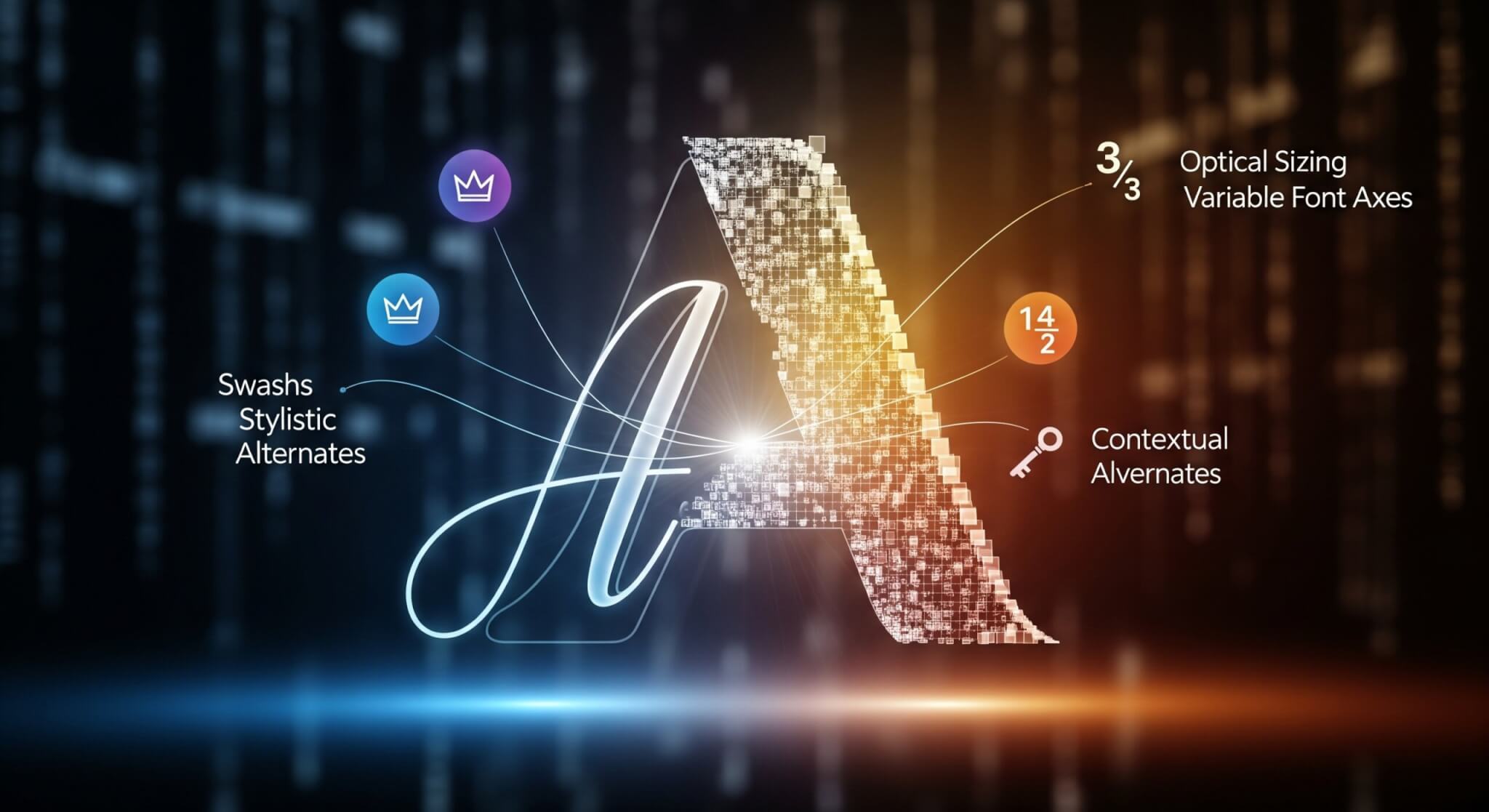
The advanced typographic features in OpenType fonts far exceed what TrueType offers. While TrueType supports basic kerning and some ligatures, OpenType provides comprehensive support for contextual alternates, stylistic sets, multiple figure styles, swashes, and positioning features. These enable typography approaching the quality and flexibility of traditional metal type.
When considering opentype or truetype for a project, OpenType is the clear winner for most applications. Its superior features, cross-platform compatibility, and industry-standard status make it the preferred choice for professional design, web development, and any application where typography quality matters.
With the basics covered, let’s explore the advanced features that make OpenType fonts truly shine.
Advanced OpenType featuresThe real power of OpenType fonts lies in their advanced opentype features that go beyond basic character display. These capabilities transform simple text into refined typography rivaling traditional letterpress printing in detail and visual sophistication.
Ligatures are one of the most recognizable opentype features. These special glyphs combine two or more characters into single forms that improve readability and aesthetic appeal. Standard ligatures like ‘fi’, ‘fl’, and ‘ff’ solve spacing problems when certain letter combinations create awkward gaps. Discretionary ligatures offer decorative combinations adding elegance and historical authenticity to text.
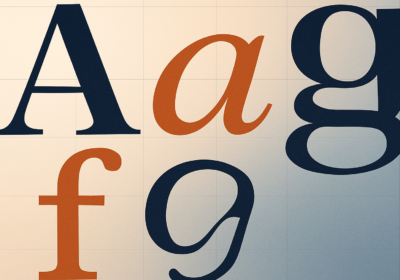
Stylistic alternates give designers multiple versions of individual characters, allowing customization for specific design contexts. A font might include several versions of the letter ‘a’ – a traditional two-story version, a single-story alternative, and a decorative swash variant. These alternates let designers fine-tune the personality and appearance of their typography.
Contextual alternates are even more sophisticated, where characters automatically change based on surrounding letters. This can create more natural-looking script fonts where letters connect seamlessly or improve display type by selecting optimal character variants based on context.
Small caps functionality in OpenType fonts goes beyond simple scaling of capital letters. True small caps are specially designed characters maintaining proper stroke weight and proportions when used at smaller sizes, creating more harmonious text than artificially scaled capitals.
Figure styles offer options for displaying numbers, each optimized for different uses. Old-style figures blend with lowercase text in body copy, while lining figures align with capital letters for headlines. Tabular figures maintain consistent widths for use in tables and financial documents, ensuring proper alignment in columns.
Swashes and ornaments add decorative flourishes that can transform ordinary text into elegant display typography. These are valuable for invitations, certificates, and other documents where visual impact is important.
To better understand these advanced features, let’s take a closer look at ligatures, alternates, stylistic sets, and figure styles.
Ligatures and alternatesLigatures in OpenType fonts serve functional and aesthetic purposes, addressing spacing issues while enhancing text’s visual flow. Standard ligatures like ‘fi’, ‘fl’, ‘ff’, ‘ffi’, and ‘ffl’ are active by default, replacing problematic letter combinations with single glyphs that eliminate spacing problems and improve readability.
Discretionary ligatures offer more decorative options, often drawing inspiration from historical typography. These might include combinations like ‘ct’, ‘st’, or even three-letter combinations, depending on the font designer’s vision. Unlike standard ligatures, discretionary ligatures are typically disabled by default and activated only when designers want their decorative effect.
Stylistic alternates provide design options for individual characters, allowing designers to customize the appearance of their typography. These might include different styles of letters, varied approaches to ascenders and descenders, or alternative punctuation marks that better suit particular designs.
Stylistic sets and figure stylesStylistic sets group related alternates, making it easy to apply consistent design changes across text blocks. A font might include a stylistic set replacing all standard characters with more decorative versions or one switching to historical forms of letters. These sets enable designers to change the character of their typography with a single selection.
Figure styles in OpenType fonts recognize that numbers serve different purposes and should be styled accordingly. Old-style figures, with varying heights and baseline positions, integrate with lowercase text in body copy. Lining figures, aligning with capital letter height, work better in headlines. Tabular figures maintain consistent character widths, ensuring alignment in tables and financial documents.
Now that you’re familiar with the features, let’s explore how to actually how to use opentype fonts in your projects.
How to how to use opentype fontsLearning how to use opentype fonts effectively means understanding the installation process and the creative application of their features. Modern operating systems and applications have made OpenType fonts increasingly accessible. Installing OpenType fonts is straightforward. For a more detailed guide, especially for designers, you can find a quickest guide to install new fonts to Photoshop. On Windows, install an OTF file by right-clicking it and selecting “Install,” or by dragging it into the Fonts folder in Control Panel. Mac users can double-click an OTF file to open Font Book, then click “Install Font” to add it to their system. Once installed, the font is available in all applications that support font selection.
The real power of OpenType fonts emerges when you access their advanced features. Professional design applications like Adobe InDesign, Illustrator, and Photoshop provide support for opentype features through panels and menus. In InDesign, the OpenType panel (under Window > Type & Tables > OpenType) offers access to ligatures and alternates.
Web developers can use opentype features using the CSS font-feature-settings property. This allows control over which features are enabled, making it possible to use ligatures and alternate characters in web browsers that support them. The @font-feature-values rule can create shortcuts for feature combinations.
Microsoft Office applications have improved their OpenType support, with newer versions offering access to stylistic sets through the Font dialog box. However, the level of support varies, with some offering more access to advanced features than others.
For users working with OpenType fonts regularly, understanding which applications provide the best feature support can impact workflow efficiency. Professional typography and design software typically offers the most support, while general-purpose applications may have more limited capabilities.
Finally, let’s summarize the key benefits that OpenType fonts bring to designers and developers.
Benefits of OpenType for designers and developersOpenType fonts offer advantages that streamline workflows and expand creative possibilities for designers and developers. The format’s approach to typography addresses challenges that have complicated font usage across platforms.
Cross-platform compatibility is a significant benefit of OpenType fonts. Designers don’t need separate font libraries for Windows and Mac, as a single OTF font file works identically across both. This extends to font rendering, ensuring text appears consistently regardless of the operating system, crucial for maintaining brand consistency and understanding the key differences between fonts for print versus digital.
The expanded character capacity of OpenType fonts enables designers to work with comprehensive typefaces that include language support, diacritical marks, and stylistic alternates. This is valuable for international projects and multilingual publications, where a single font can handle diverse linguistic requirements.
For developers, OpenType fonts offer improved web typography capabilities through CSS font-feature-settings support. This enables sophisticated web typography rivaling print quality, with access to ligatures and alternate characters that enhance readability.
The single-file architecture of OpenType fonts simplifies font management. All font data resides in one file, making fonts easier to install, organize, and distribute. This reduces the risk of missing font components and streamlines sharing fonts between team members.
Professional typography benefits from the advanced opentype features available in modern fonts. Designers can achieve typographic refinement previously possible only with expensive typesetting systems, bringing high-end capabilities to standard applications and web browsers.
Elevate Your TypographyOpenType fonts have transformed digital typography, offering unparalleled flexibility and control. By understanding their history, structure, and advanced features, you can unlock new levels of creativity in your design projects. Take the time to explore the capabilities of OpenType fonts and discover how they can elevate your work.
Frequently Asked Questions about OpenType Fonts What is an OpenType font?An OpenType font is a modern digital font format developed by Microsoft and Adobe. It supports both TrueType and PostScript outline technologies, contains advanced typographic features, and works seamlessly across Windows and Mac platforms.
What is the difference between OTF and TTF files?OTF (OpenType Font) files can use either PostScript or TrueType outlines and offer advanced typographic features such as ligatures, stylistic alternates, and small caps. TTF (TrueType Font) files use only TrueType outlines and have more limited feature support.
How do I install an OpenType font?On Windows, right-click the OTF file and select “Install” or drag it into the Fonts folder in Control Panel. On Mac, double-click the OTF file to open it in Font Book and click “Install Font.” The font will then be available in all compatible applications.
What advanced features do OpenType fonts offer?OpenType fonts support features like ligatures, stylistic alternates, contextual alternates, small caps, different figure styles, and swashes. These features allow for more refined and creative typography.
Can I use OpenType fonts on the web?Yes, OpenType fonts can be used on websites. Web developers can enable advanced OpenType features using the CSS

I'm a programmer at heart. But in my 20s, I realized there was more to the world of fonts than just Courier.
Driven by endless curiosity, I built a system to explore them.
That project grew into one of the world’s leading font identifier platforms: www.WhatFontIs.com.
By 2024, WhatFontIs is helping nearly one million designers—famous or not—discover the names of the fonts they need.