Learn how to find fonts (step by step)
Pick a topic from the left menu. Each guide is designed to help you get better results faster.
How to use a Promo Code
Follow the steps below, then use the tool to check matches and alternatives.
How to use a Promo Code
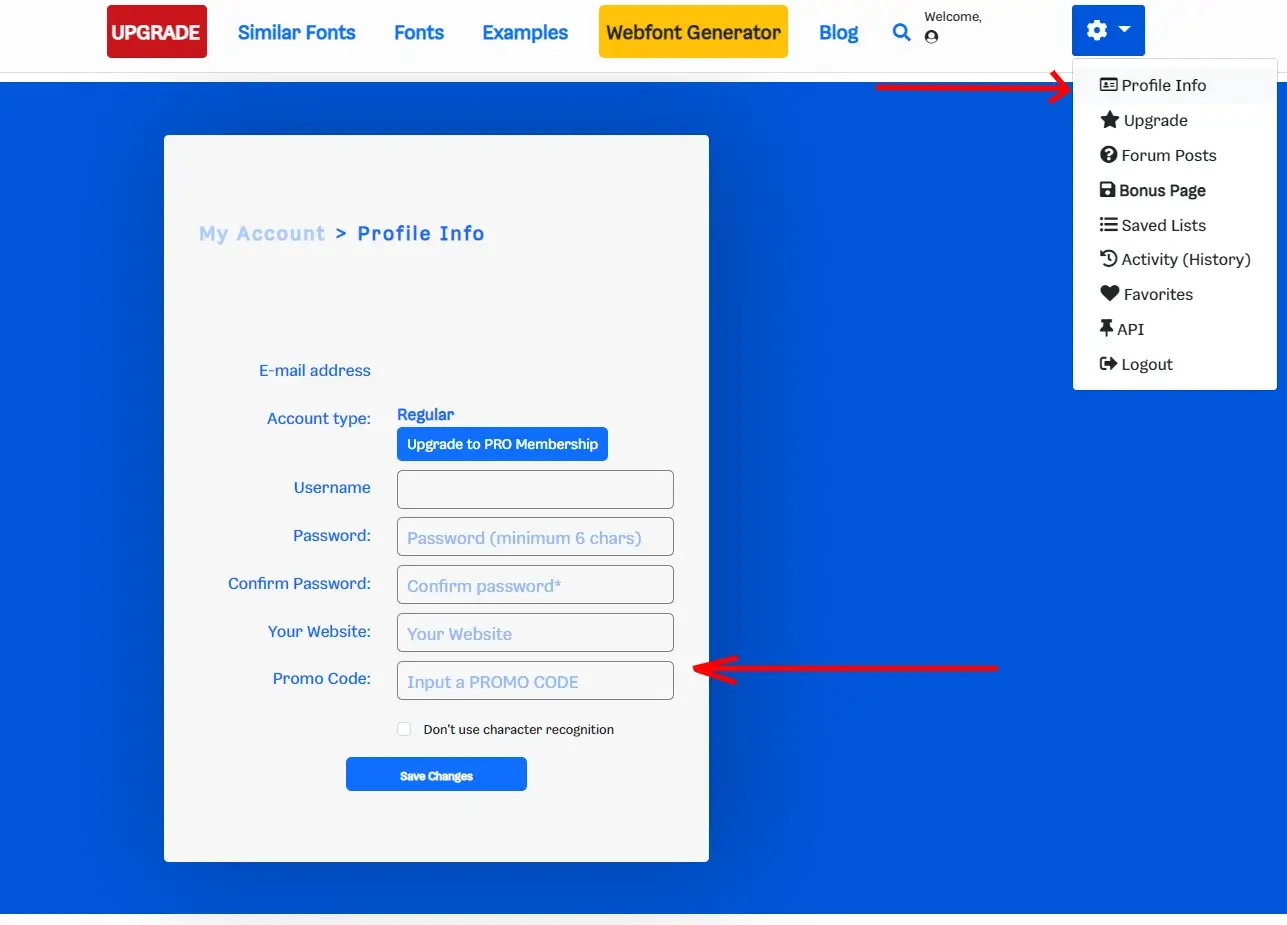
A WhatFontIs Promo Code upgrades your account to PRO for 3 months. Follow the steps below to redeem it in your Profile Info.
Step 1 Log in or sign up
Open account pageFirst, log in to your account (or create one if you don’t have it yet).
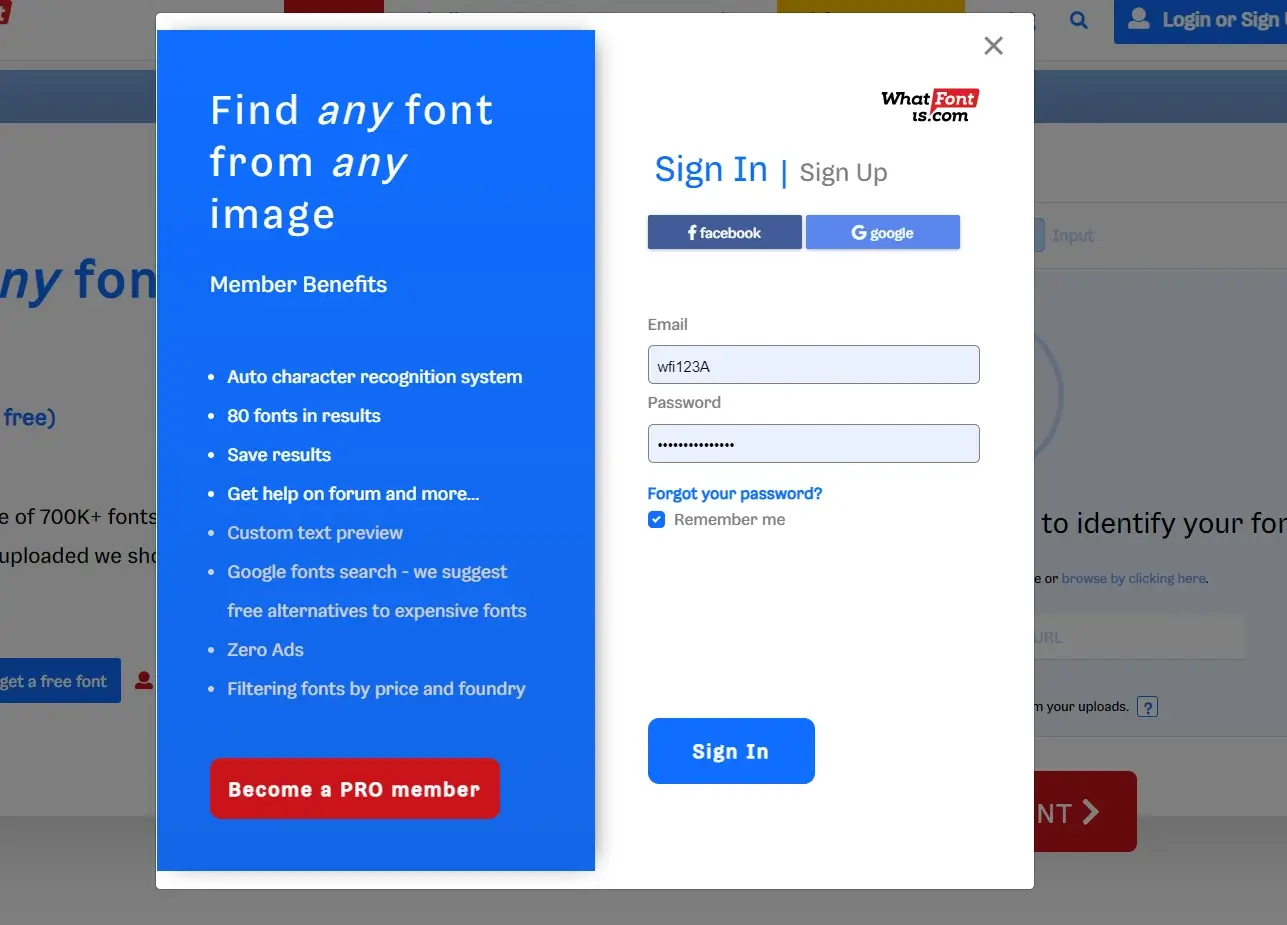
Step 2 Redeem the promo code in Profile Info
Go to Profile Info, paste the promo code, then save. Your PRO access will activate after the code is validated.
Too hot to work? Play a font game instead 🏖️
WhatFontIs Blog: WhatFontIs vs WhatTheFont: We Tested Both on MyFonts' Top 10 Bestsellers
Help your fellow font-seekers if you think you can recognize the font. Earn some good karma by doing it :-) Answer & Help

Yet sometimes the images are very complex, so other users need a bit of help.
If you recognize the font from the samples posted here don't be shy and help a fellow designer.
Thousands of designers (famous or not) use the image font detection system to find a font or similar free fonts from an image. Although we have the largest database of fonts, the search for a font from an image gets mixed results like the image above.
Recognize the font? Browse forumHave a font you want to use on the web?
Webfont Generator