Learn how to find fonts (step by step)
Pick a topic from the left menu. Each guide is designed to help you get better results faster.
How to post to forum in 2 steps
Follow the steps below, then use the tool to check matches and alternatives.
Step 1 Upload first, then click “Post To Forum”
Go to uploadUpload the image in our tool to try identification. If the font is not detected, a Post To Forum link will appear on the results page.
Step 2 Write a clear title and message
Enter a descriptive title and a short message. Mention where the font is used (brand, poster, website), and what you already tried (tool results, similar fonts).

Too hot to work? Play a font game instead 🏖️
WhatFontIs Blog: WhatFontIs vs WhatTheFont: We Tested Both on MyFonts' Top 10 Bestsellers
Help your fellow font-seekers if you think you can recognize the font. Earn some good karma by doing it :-) Answer & Help

Yet sometimes the images are very complex, so other users need a bit of help.
If you recognize the font from the samples posted here don't be shy and help a fellow designer.
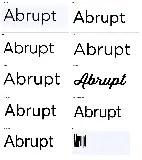
Thousands of designers (famous or not) use the image font detection system to find a font or similar free fonts from an image. Although we have the largest database of fonts, the search for a font from an image gets mixed results like the image above.
Recognize the font? Browse forumHave a font you want to use on the web?
Webfont Generator