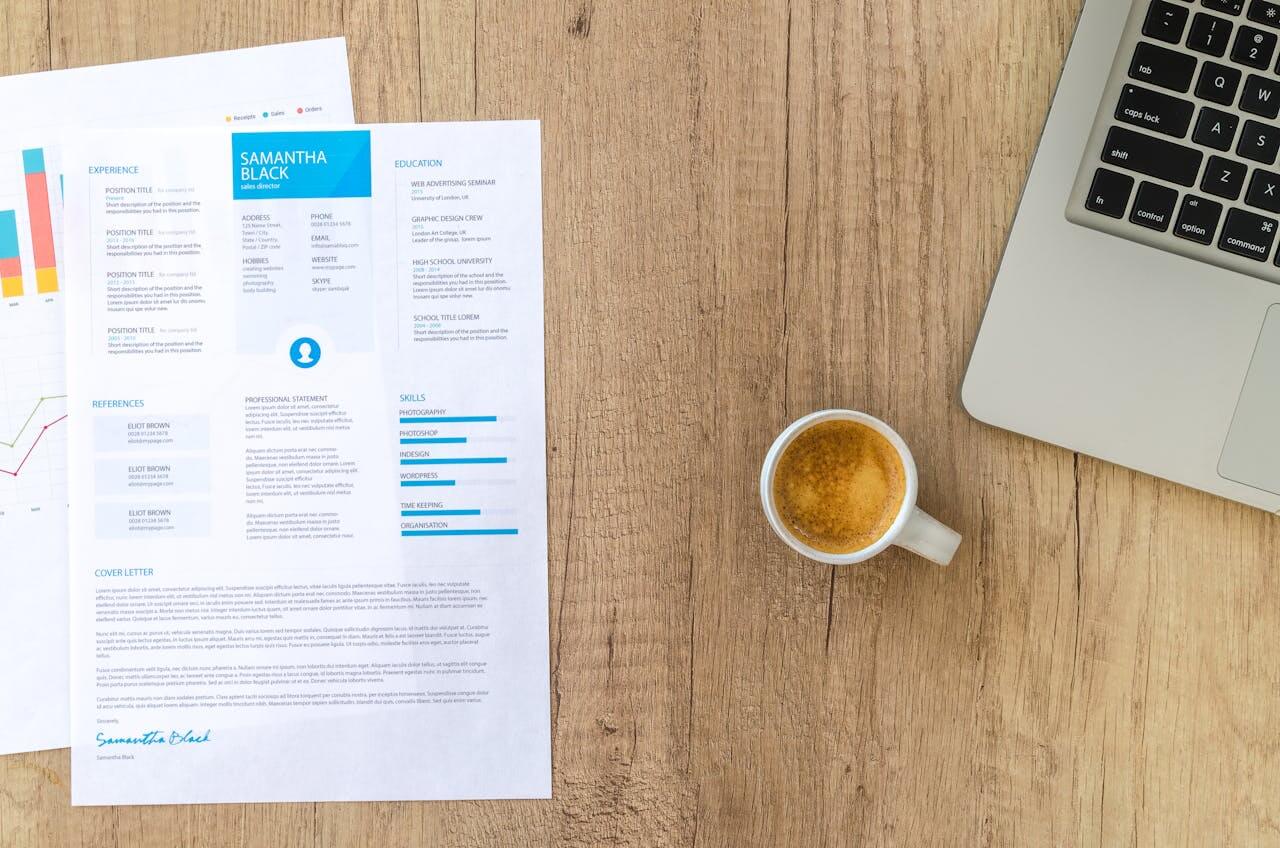
In today’s highly competitive employment economy, your resume is like a silent ambassador. Your resume conveys your personality, level of professionalism, and attention to detail. The information, which includes your qualifications, experience, and accomplishments, is obviously essential, but how it is presented visually often determines whether or not the content is read at all. Fonts, so simple, yet so powerful, are the vital components of visual display.
Picking the correct font for your CV is more of a calculated move than an aesthetic one. Finding the sweet spot between being easily readable and catching the recruiter’s eye is key, as is avoiding any appearance of unprofessionalism or, worse, illegibility. A well-selected font can be the subtle difference that raises your application from the “maybe” pile to the “interview” pile, in a world where recruiters make quick decisions after only a few seconds of looking through a resume.
Selecting the right font for your resume is a combination of art and a bit of science, and this guide will cover both. Let’s look through the importance of fonts, analyze what makes a professional and friendly font, celebrate the classics, introduce you to some up-and-coming options that can help you stand out subtly, and, most importantly, prevent your resume from going straight to the trash. This is how you stand out without looking unprofessional, using the best fonts for resume design.
The most important things to know about professional resume typographyRegardless of the particular font that you decide to use, following a set of fundamental guidelines will guarantee that your resume will always appear polished and professional. First and foremost, legibility is of the highest importance. You should always give priority to fonts that are simple to read at a variety of sizes, particularly for the body text that is smaller. In order to avoid going to extremes, it is essential to keep away from typefaces that are too decorative, too thin, too condensed, too wide, or excessively stylized. Because uneven font usage will make your paper appear messy and unprofessional, it is essential that you use the same font throughout your entire resume. Alternatively, you can use a combination of fonts that you have properly paired together.
In general, when it comes to the optimal size, you should strive for body text to be between 10 and 12 points, and headings to be between 14 and 24 points. However, you need to make some adjustments depending on the particular font and the overall style of your document. In addition, make sure that you incorporate an appropriate amount of white space by ensuring that you keep enough line spacing and margins. This is required since even the nicest font will appear cluttered if there is not enough “breathing room”. In conclusion, it is of the highest priority to always save and send your resume in PDF format. This locks your font choices and layout, ensuring that your document will appear precisely how you intended it to, independent of the system that the receiver is using.
The “safe nets” when comes to fonts for resumesThe backbone of official papers is sans-serif fonts, which do not have the little decorative strokes (serifs) at the end of each character stroke. They are the most popular choice for resumes because they are clean, modern, and incredibly readable, particularly on digital devices.
Modern professionalism and adaptability are exemplified by Open Sans. This humanist sans-serif font, created by Steve Matteson, is incredibly readable on any screen size. You can create a powerful typographic hierarchy with its wide character set and multiple weights, Open Sans Light, Regular, Semi-Bold, Bold, Extra Bold, without needing additional typefaces. Clean and friendly, Open Sans is a font that never goes out of style. Thanks to its open-source nature and widespread availability, it is a trustworthy option that is appreciated by all. It is easy to read, looks great online and in print, and works well with applicant tracking systems. It works for resumes in almost every field.
Lato, which translates to “summer” in Polish, is another great humanist sans-serif font created by Łukasz Dziedzic. It strikes a good mix of friendliness and professionalism with its semi-rounded details. Highly legible and available in a variety of weights, Lato makes it simple to visually differentiate between body text and headings. It’s a great choice for any industry that wants a little more of a soft professional vibe, creative industries, tech etc., because it’s clean, professional, and easy to read.
Microsoft Office has used Calibri as its default font for quite some time. You can’t deny that it is professional, easy to read, and clear, but its popularity means it won’t make your resume stand out. Calibri is a safe, though boring, solution if you’re working with a standard template or don’t know what else to do. Ideal for general applications, conventional industries, or when simplicity is needed, it is designed for on-screen reading and performs efficiently at lower sizes.
The neo-grotesque sans-serif Roboto successfully combines mechanical efficiency with a welcoming, open vibe. It is the principal font for Android and the Material Design language developed by Google. It has a sleek, contemporary design that is perfect for screen reading. When it comes to creating distinct visual hierarchy, Roboto is just as versatile as Open Sans, thanks to its extensive weight options. Perfect for digital viewing, this modern, clean, and professional pick is perfect for tech, digital marketing, start-ups, or anybody else going for a contemporary style.
A geometric sans-serif that is elegant, fashionable, and completely modern, Montserrat takes its cues from vintage Buenos Aires posters and advertising. Resumes written in this font are more likely to be seen as confident and effective than those written in Open Sans or Lato. It is very easy to read because of the clean shapes and strong lines. This typeface is perfect for design, architecture, marketing, or any area that values a strong, modern look since it is trendy, modern, clean, and has a strong presence.
Recognized for its wide range of weights and styles, Fira Sans is an open-source font that was initially created by Erik Spiekermann for Firefox OS. It is known for its remarkable readability. Even at small sizes, this strong humanist sans-serif looks great, giving any project a polished, one-of-a-kind vibe. Anyone working in a technical or detail-oriented field would benefit greatly from its vast range of weights and outstanding readability.
Last but not least, LT Internet is an excellent choice for digital screens and user interfaces since it is adaptable, extremely legible, and works well even at tiny sizes. Carefully designed to ensure legibility even in small font sizes, it’s a great option for resumes that need to make the most of limited space. It is contemporary, easy to read, and designed for screen reading thanks to its big x-height and unique characters. Anyone whose resume will be seen mostly on a screen, such as those in IT, UX/UI, digital roles, or similar fields, will benefit from using Inter.
The “sophisticated touch” when using serif fonts in a resumeA resume with a well-selected serif font may reflect traditional professionalism and classic elegance, even though sans-serif fonts predominate in current resume design. Avoid using this style for the main body of the text and save it for headings or particular parts alone. People are more likely to trust and respect serifs because of their more traditional appearance.
Among the many widely-used and legible traditional serif fonts, Georgia stands out for its exceptional suitability for use on digital devices. Its robust characters and ample x-height make it easy to read, especially at smaller sizes. Choosing Georgia as your state can make a resume seem more traditional, scholarly, or official. When combined with a sans-serif typeface for body text, it creates an attractive combination that works well in academic, legal, financial, or more conventional business settings.
Optimised for screen reading, Merriweather is a serif font with a welcoming and attractive appearance. It has a nice, friendly vibe and keeps reading even at low dpi. Merriweather is a nice substitute for Georgia if you’re looking for a serif that’s a little more modern and gentle. Education, nonprofits, and other fields that call for a classic yet welcoming tone would benefit from this screen-friendly, approachable serif’s excellent readability.
Some moderately distinct options when you are too tired of classic fonts for resumesThese fonts provide a reasonable amount of individuality without sacrificing professionalism, making them ideal for those who want to gently differentiate their CV without crossing into unprofessional zones. Compared to more popular options like Open Sans and Calibri, they are less frequent yet nonetheless professional and readable.
An excellent substitute for Helvetica and Arial is Adobe’s first open-source font, Source Sans Pro. Originally created for use in user interfaces, it is a flexible sans-serif font with a friendly, readable vibe. In addition to having a large selection of weights, it also looks very polished and professional. Source Sans Pro stands out from the crowd thanks to its professional appearance, warmth, versatility, and open-source nature. It comes in a fantastic range of weights and is a great choice for practically any business.
Karla is a geometric sans-serif font with a unique and expert look. Without sacrificing professionalism, its distinctive and well-balanced letterforms stand out. It keeps things neat and works fine with smaller body text sizes. Karla is great for start-ups, marketing, communications, and creative industries because of its unique, approachable, contemporary, and clean traits as well as its good readability.
Last but not least, the friendly and welcoming sans-serif Nunito has rounded terminals. Clean and legible, with a less stuffy vibe than other sans-serifs thanks to its rounded corners, it exudes professionalism without sacrificing style. Customer service, human resources, teaching, and any other client-facing profession that benefits from an approachable tone would be ideal for this voice type.
Avoid these fonts at all costs or they are going to ruin your resumeAs important as it is to know which typefaces to use, it is equally critical to know which ones to absolutely avoid. No matter how strong your qualifications are, using these fonts will send a message of unprofessionalism and ruin your application.
Nobody should ever use Comic Sans MS in a professional document since it shows a complete lack of maturity and professionalism and is, without a doubt, the most unprofessional typeface ever. Papyrus is also not a good choice because it is extravagant, old-fashioned, and overused. Using it will make your resume look like it was made on a budget.
Resumes written in cursive, like Vivaldi MN, are unprofessional and impossible to read, particularly at smaller sizes. The body text of a professional document is not the place for show or novelty fonts like Impact or Curlz MT. These types of fonts are intended for headlines or special artistic objectives and can be extremely distracting and unintelligible.
Only extremely conventional law offices use Times New Roman, and even that isn’t universal. As a last point, stay away from tiny, condensed, or overly wide fonts. Although several contemporary typefaces experiment with these features, going to extremes will always make the font less legible. Recruiters won’t be able to skim your material fast if the characters are either cramped or too dispersed.
Keep in mind that you don’t want to shock or distract with your font choice. Instead, you want to quietly impress and make your qualifications easy to read. Choose a font that reflects your career goals and the field you’re aiming for by devoting some time to the process. You have achieved great success in resume design and increased your chances of getting that interview when your typeface is noticeable for its professionalism and clarity rather than its eccentricity. Carefully consider your options and allow your resume to showcase your true professionalism.
Keep in mind that WhatFontIs.com is an excellent tool for determining font identities. If you find one that you like but aren’t sure of its name or where to get it (licensed or not), you can still use it in your resume. Grab a screenshot that has some text whose font you don’t recognize. Then come back to our site, and we’ll help you find over a million fonts, including free and premium alternatives, in a matter of seconds!

I'm a programmer at heart. But in my 20s, I realized there was more to the world of fonts than just Courier.
Driven by endless curiosity, I built a system to explore them.
That project grew into one of the world’s leading font identifier platforms: www.WhatFontIs.com.
By 2024, WhatFontIs is helping nearly one million designers—famous or not—discover the names of the fonts they need.